Skip to main content
User Options - QuickBooks
To continue, select your version of QuickBooks:
QuickBooks Desktop Export
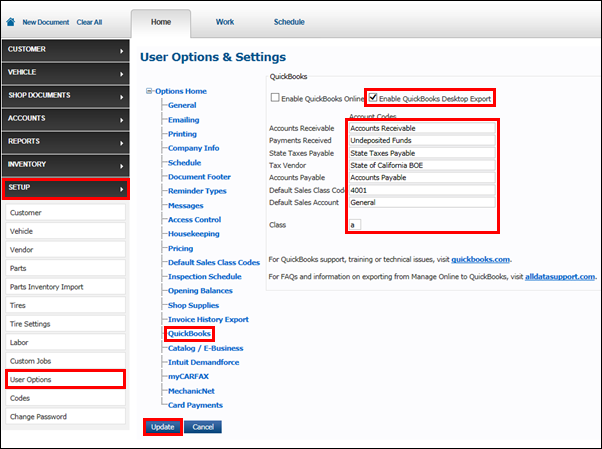
To set up QuickBooks Desktop Export:
- Click Setup >> User Options >> QuickBooks.
- Click the Enable QuickBooks Desktop Export check box >> enter your Account Codes and Class.
- Click Update.
QuickBooks Online
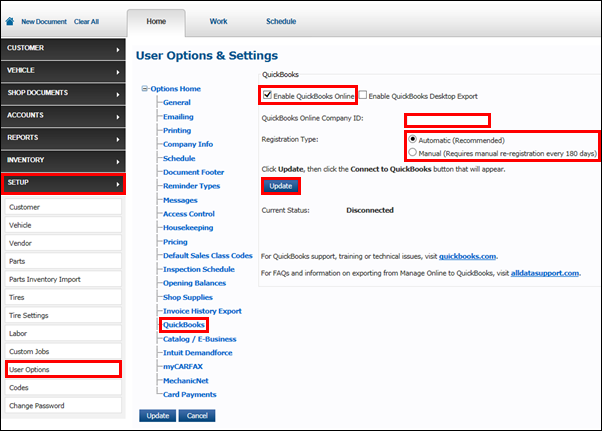
To setup QuickBooks Online:
- Click Setup >> User Options >> QuickBooks.
- Click the Enable QuickBooks Online check box >> enter your QuickBooks Online Company ID >> select a Registration Type.
- Click Update.