Key Tag provides an option to apply reusable Key Tags or a unique Vehicle Tag to a vehicle, in order to keep track of keys/vehicles while they are on site.
To add Key Tags:
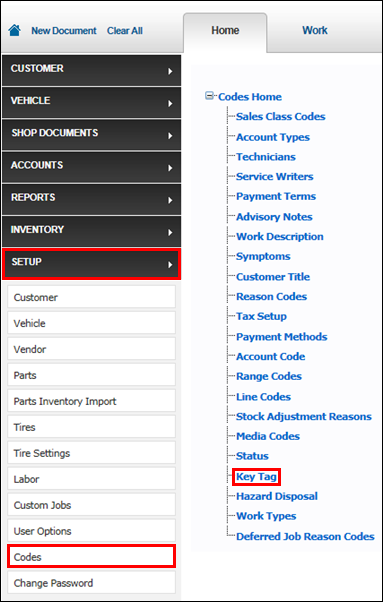
Click Setup >> Codes >> Key Tag.
Select the Key Tag radio button.
Notes:
You can use either Key Tags or Vehicle Tags, but not both.
Selecting Vehicle Tag requires no additional setup on this setup screen, but will instead require you to manually enter a Vehicle Tag number on each document, from the Work screen.
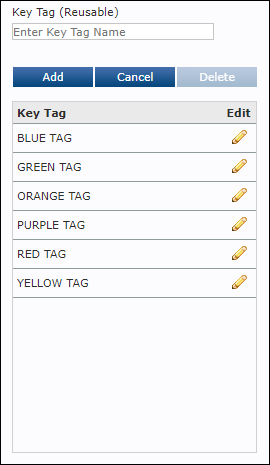
Enter a Key Tag (up to 10 characters)>> click Add.