

ALLDATA Find-A-Fix
ALLDATA Find-A-Fix is a code based software diagnostic tool to help technicians build a more targeted and efficient diagnostic strategy, than repair information alone. This ALLDATA authored article is intended to give technicians a quick overview of causes and fixes for a DTC code.
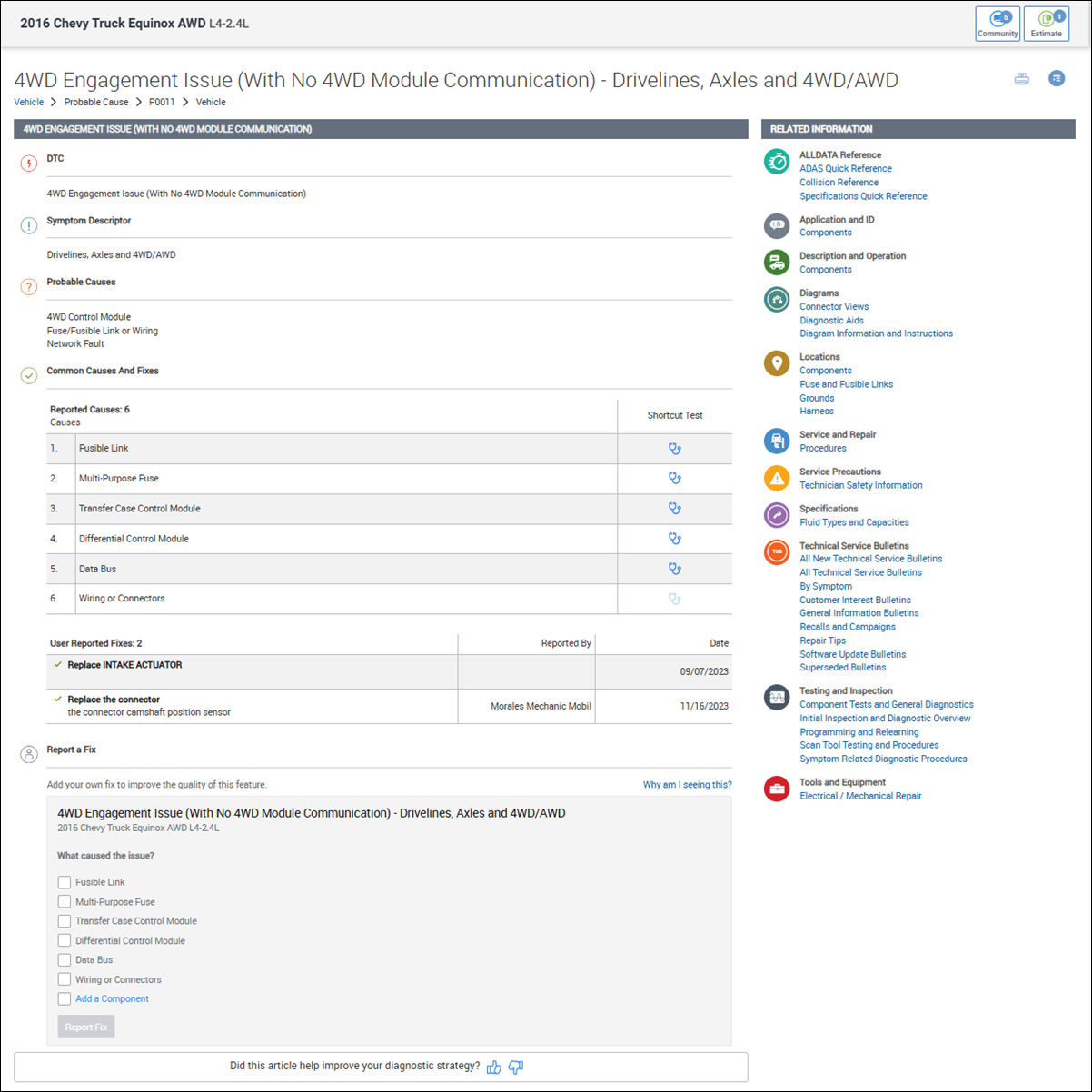
Find a fix articles include the following information:
- DTC and symptom description
- Verified fixes with a confidence level indicator
- User provided fixes
- List of probable causes
- Component testing information
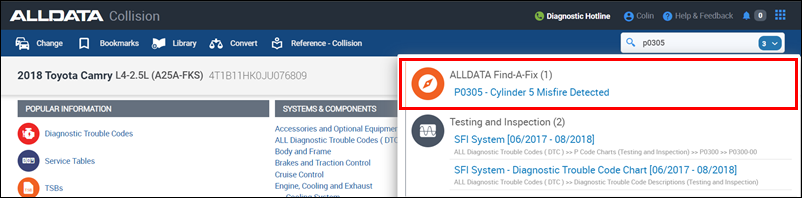
Access Find-A-Fix Articles
- From the Search menu when looking up DTC codes
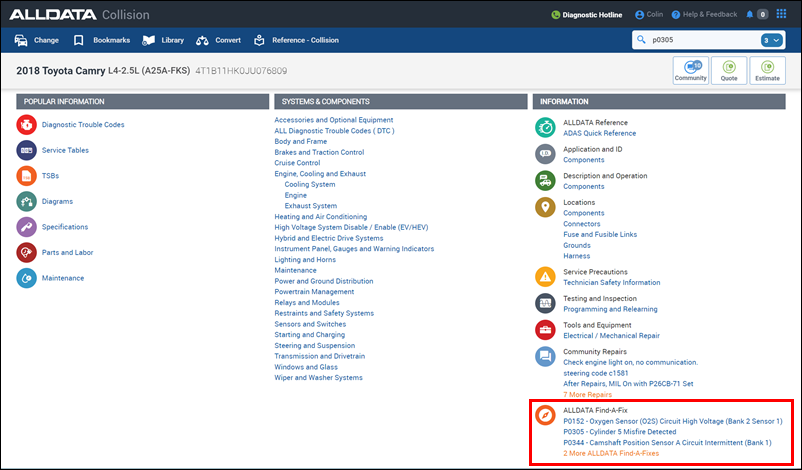
- From the Information navigation menu on the main vehicle page or when viewing applicable diagnostic articles
View component testing instructions
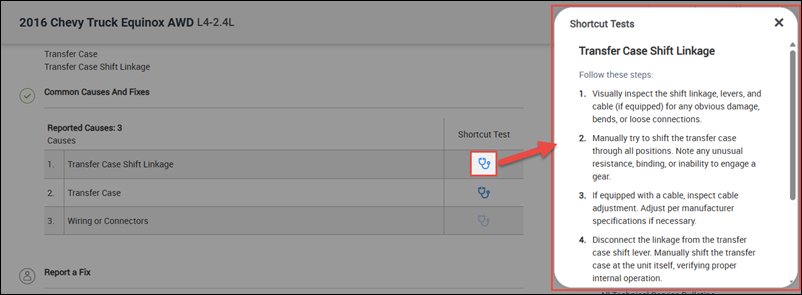
- In the Common Causes and Fixes section, click a Shortcut Test link to display a popup with testing instructions for the selected component.
Provide feedback about Find-A-Fix to help ALLDATA improve the experience for everyone
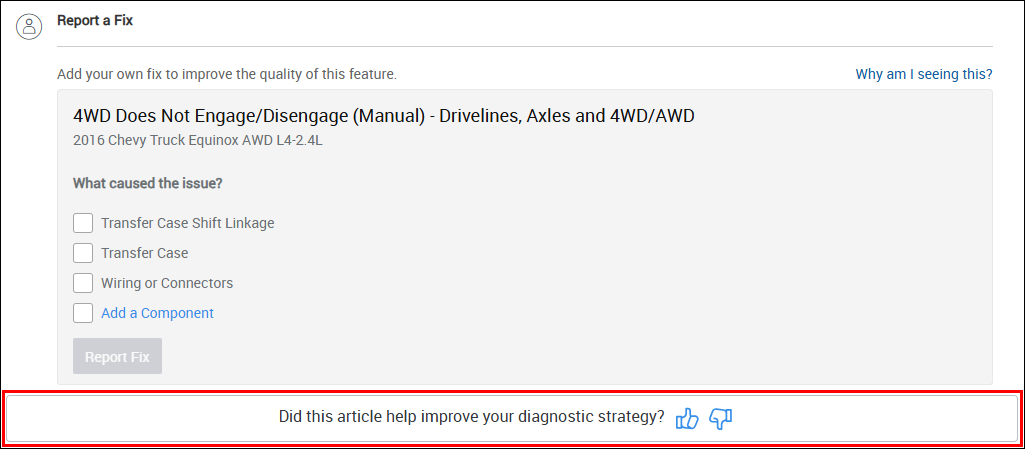
Provide information about what fixed the vehicles you have been working on, at the bottom of the Find-A-Fix Article.
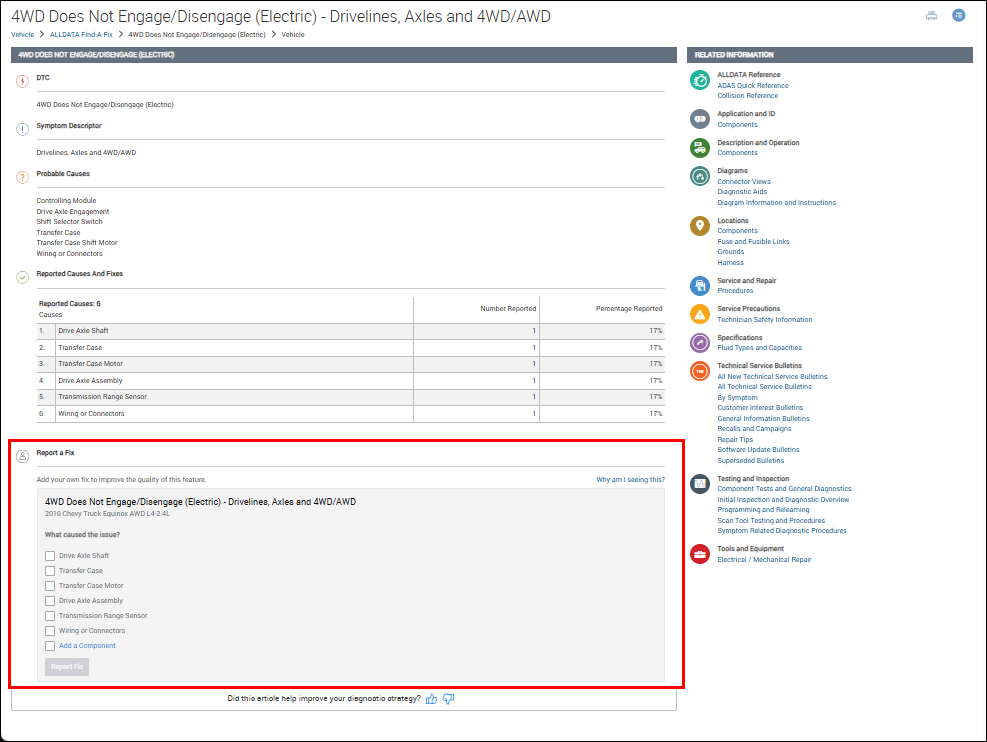
- Click the thumbs up or thumbs down button at the bottom of a Find-A-Fix article to give additional feedback about how we can improve.