


Reports
NOTE - Some features and functions in this article are only accessible at certain Shop Manager subscription levels.
View Reports List
| Feature / Function | Shop Manager Pro | Shop Manager | Estimator |
|---|---|---|---|
Sales Summary |  | |  |
Tax | | | |
Payments | | | |
Parts Profit | | | |
Parts Purchased | | | |
Shop Performance | | | |
Technician Performance | | | |
Service Writer Performance | | | |
Customer Sales Summary | | | |
Unpaid Invoices | | | |
Deferred Work | | | |
Inventory | | | |
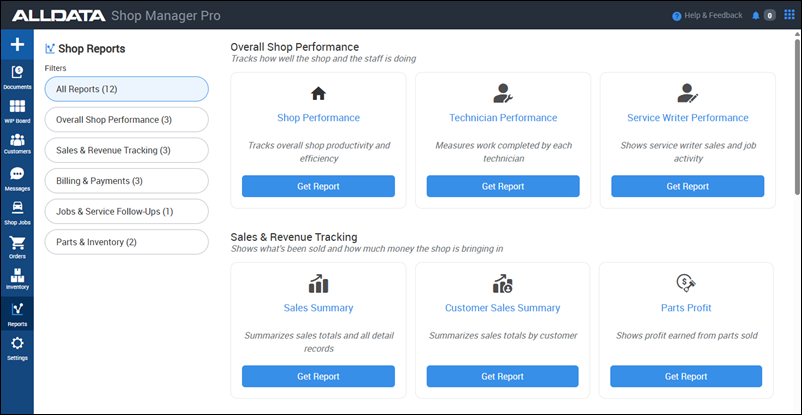
Access Reports
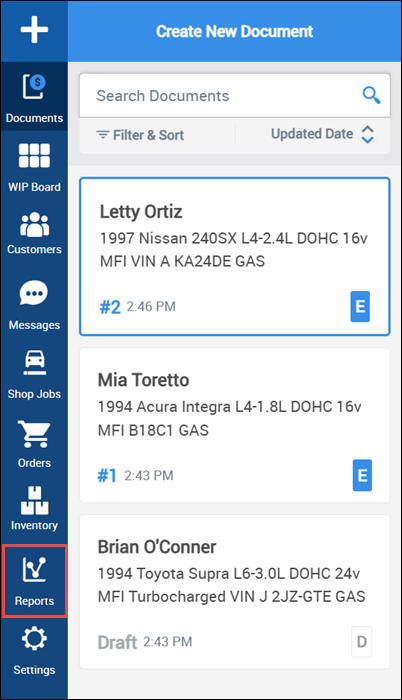
- Open the Reports tab from the side menu.
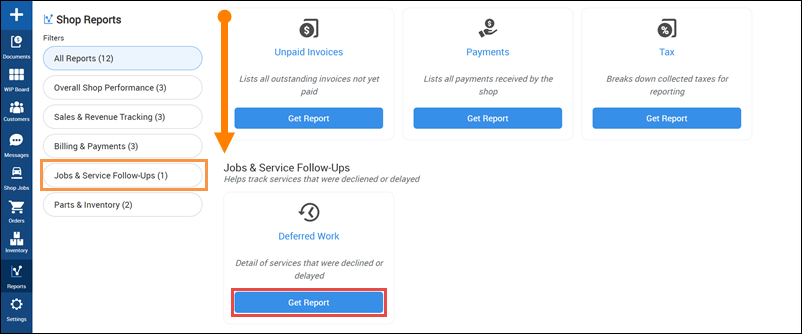
- Choose one the Shop Reports category Filters or scroll through the list of All Reports >> Click Get Report on the report you want to view.
- Select a Date Range and choose any Optional Filters (Optional Filters vary by report).
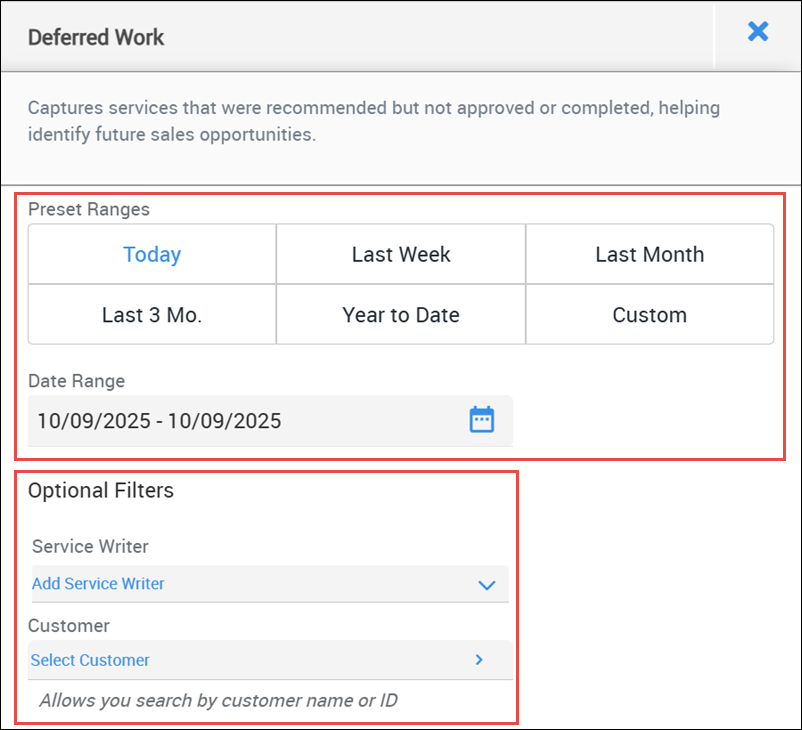
Click one of the following:
- Download CSV - a .csv file will be downloaded to be viewed or manipulated by your spreadsheet software.
- Print - A .pdf file will be saved to provide an easily print-friendly layout.
- The location of the downloaded files will be determined by your browser settings.
