Block Container
Repair Planner

Learn what questions to ask and which features to look for when choosing vehicle repair and collision data apps for your shop

Whether you’re running an auto repair shop or operating as a solo technician, the right automotive software can streamline your workflow, improve accuracy, enhance customer service, and boost profitability. But with so many options on the market, how do you choose the best vehicle repair software?

This guide will walk you through essential considerations, key features, and top product references.

FINDING THE BEST AUTOMOTIVE REPAIR SOFTWARE

Step 1: Identify Your Shop's Needs

Description

To find the best automotive repair software to help with your automotive repair business, you first need to identify your shop’s needs. 

NEEDEXAMPLE FEATURES

Diagnostics

  • Data-driven repair solutions for specific vehicles
  • Diagnostic Trouble Codes (DTCs), including DTC definitions, troubleshooting procedures, repair articles, and diagnostic flow charts 
  • Testing and inspection procedures, such as wiring diagrams and digital inspection sheets using OEM data
  • Verified fixes and probable causes
  • Top fixes ranked by most-likely solutions
  • Diagnostic hotline staffed by ASE-certified master techs for advanced troubleshooting and step-by-step repair assistance

Repair Information

  • Comprehensive and up-to-date OEM repair information
  • Repair and maintenance procedures
  • TSBs, DTCs, and open recalls
  • Labor time estimates
  • Interactive color wiring diagrams
  • Support for hard-to-find OEM data
  • Estimates with parts and labor information

Collision Data

  • Comprehensive and up-to-date unedited OEM data for body and frame sectioning, panel replacement sensors and handling of new materials
  • TSBs and DTCs
  • Manufacturer position statements to help shops follow OEM-specified procedures
  • OEM-direct, vehicle-specific ADAS (Advanced Driver Assistance Systems) information, such as backup cameras and lane departure systems with repair and calibration guidance
  • Interactive color wiring diagrams
  • Evolving technology like hybrids and panel replacement
  • Support for hard-to-find OEM data

Shop Management

  • Easy creation of estimates, repair orders, and invoices that sync with OEM parts and labor software
  • Vehicle service history and open recalls
  • 24/7 parts ordering
  • Parts markup matrix
  • Sales, tax, payment, profit and parts reporting
  • Parts inventory management
  • Work-in-progress dashboard
  • Technician time and cost tracking
  • QuickBooks integration
  • 2-way customer texting
  • Photo and video attachment

Shop Customer Communication

  • SMS updates and repair order authorizations via 2-way texting to customers
  • Mobile-friendly digital inspections

Integration

  • Parts ordering
  • QuickBooks integration
  • Integrates with a major collision estimator, like CCC Secure Share™ Network


PRO TIP

A small independent shop might prioritize affordability and ease of use, while a multi-bay repair facility may need advanced integrated estimating functionality and shop management capabilities. 

Step 2: Compare Automotive Repair Information Systems

Description

In general, you will want to look for automotive repair software that provides detailed OEM procedures, wiring diagrams, Technical Service Bulletins (TSBs), Diagnostic Trouble Codes (DTCs), and probable fixes. The software should be mobile-friendly and access unedited OEM repair information (direct from the manufacturer), covering a wide variety of engine-specific vehicles and offering plenty of support options.

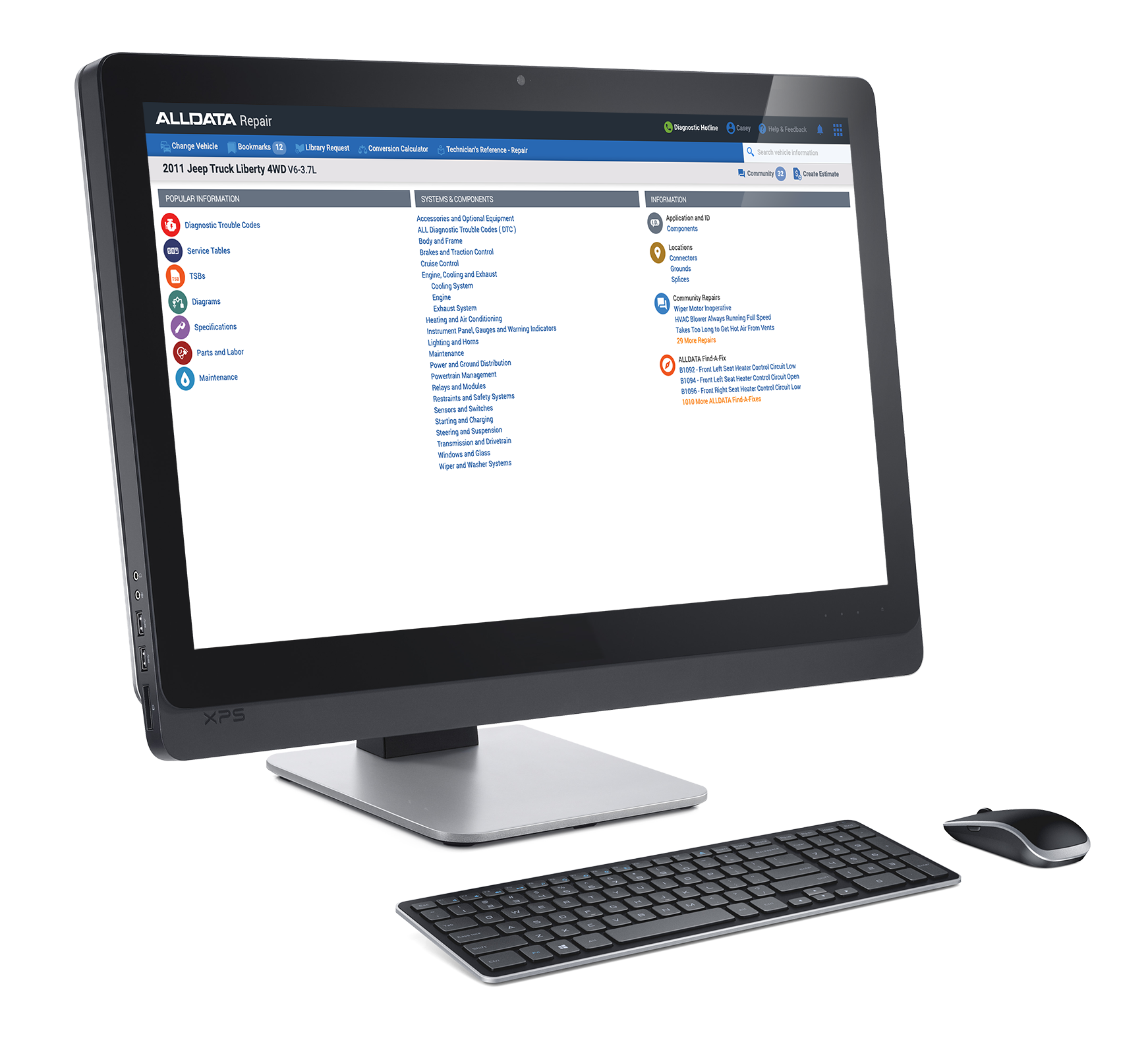
ALLDATA Repair

Where ALLDATA Repair Beats the Competition

  • OEM-direct, unedited data 
    ALLDATA’s factory direct, unedited OEM repair information for accuracy and liability protection is a differentiator—especially for ADAS, electronics, and evolving materials—so shops can document safe, compliant repairs.
  • Breadth of coverage and updates
    ALLDATA’s coverage spans tens of thousands of engine specific vehicles, targeting approximately 95% of vehicles on the road. ALLDATA also maintains a cadence of updates aimed at keeping data current. That scale and update focus are clear advantages in helping shops manage complex diagnostics and modern platforms.
  • Integrated suite across ALLDATA Repair 
    ALLDATA brings a connected stack—Repair, Estimator, Inspections, Shop Manager Pro, and more—to help cut clicks from estimate to procedure to documentation.
  • Connected workflow 
    ALLDATA’s new Shop Manager Pro offers inventory management, technician time reporting, attachable photos/videos, two way texting/text authorizations, and work in progress controls—all embedded with parts/labor lookup from ALLDATA Repair. That tighter integration between technical content and front office tasks offers shops an unparalleled workflow advantage. 

Step 3: Compare Automotive Collision Information Systems

Description

Like repair software systems, the best automotive collision products will offer a comprehensive OEM data software solution designed specifically for collision repair shops.

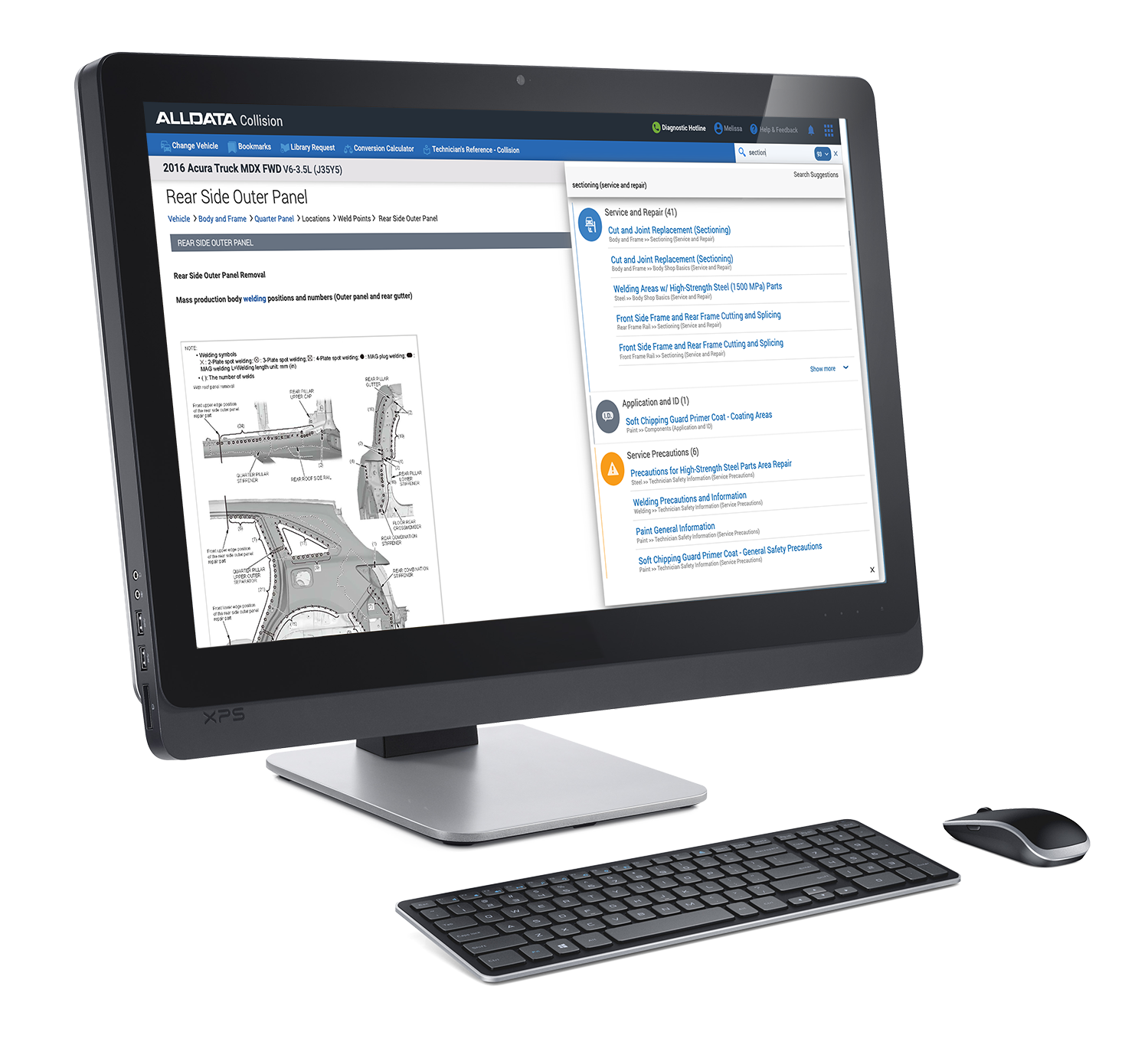
ALLDATA Collision


Where ALLDATA Collision Beats the Competition

  • OEM-direct, unedited data 
    ALLDATA’s factory direct, unedited OEM repair information for accuracy and liability protection is a differentiator—especially for ADAS, electronics, and evolving materials—so shops can document safe, compliant repairs.
  • Breadth of coverage and updates
    ALLDATA’s coverage spans tens of thousands of engine specific vehicles, targeting approximately 95% of vehicles on the road. ALLDATA also maintains a cadence of updates aimed at keeping data current. That scale and update focus are clear advantages in helping shops manage complex diagnostics and modern platforms.
  • Integrated suite across ALLDATA Collision 
    ALLDATA brings a connected stack—Collision, Repair Planner, Estimator, Inspections, Shop Manager Pro, and more—to help cut clicks from estimate to procedure to documentation. Repair Planner’s blueprinting tool, in particular, streamlines collision repair planning with OEM requirements, saving shops time while standardizing compliance, limiting liability, and improving customer communication.
  • Collision-specific enablement
    For collision shops, ALLDATA provides access to manufacturer position statements and line-by-line checks via planning workflows to help minimize missed structural operations and reduce liability exposure.
  • Connected workflow 
    ALLDATA’s new Shop Manager Pro offers inventory management, technician time reporting, attachable photos/videos, two way texting/text authorizations, and work in progress controls—all embedded with parts/labor lookup from ALLDATA Collision. That tighter integration between technical content and front office tasks offers shops an unparalleled workflow advantage. 

Step 4: Compare Shop Management Systems (SMS)

Description

If you’re like most shop owners or automotive technicians, you’ll also need a software program that helps manage your daily business operations from appointments and estimates to repair orders, invoices, and technician reporting. Look for SMS software that syncs with your core software programs, allowing you to effortlessly toggle between your OEM mechanical and collision information and your shop documents.

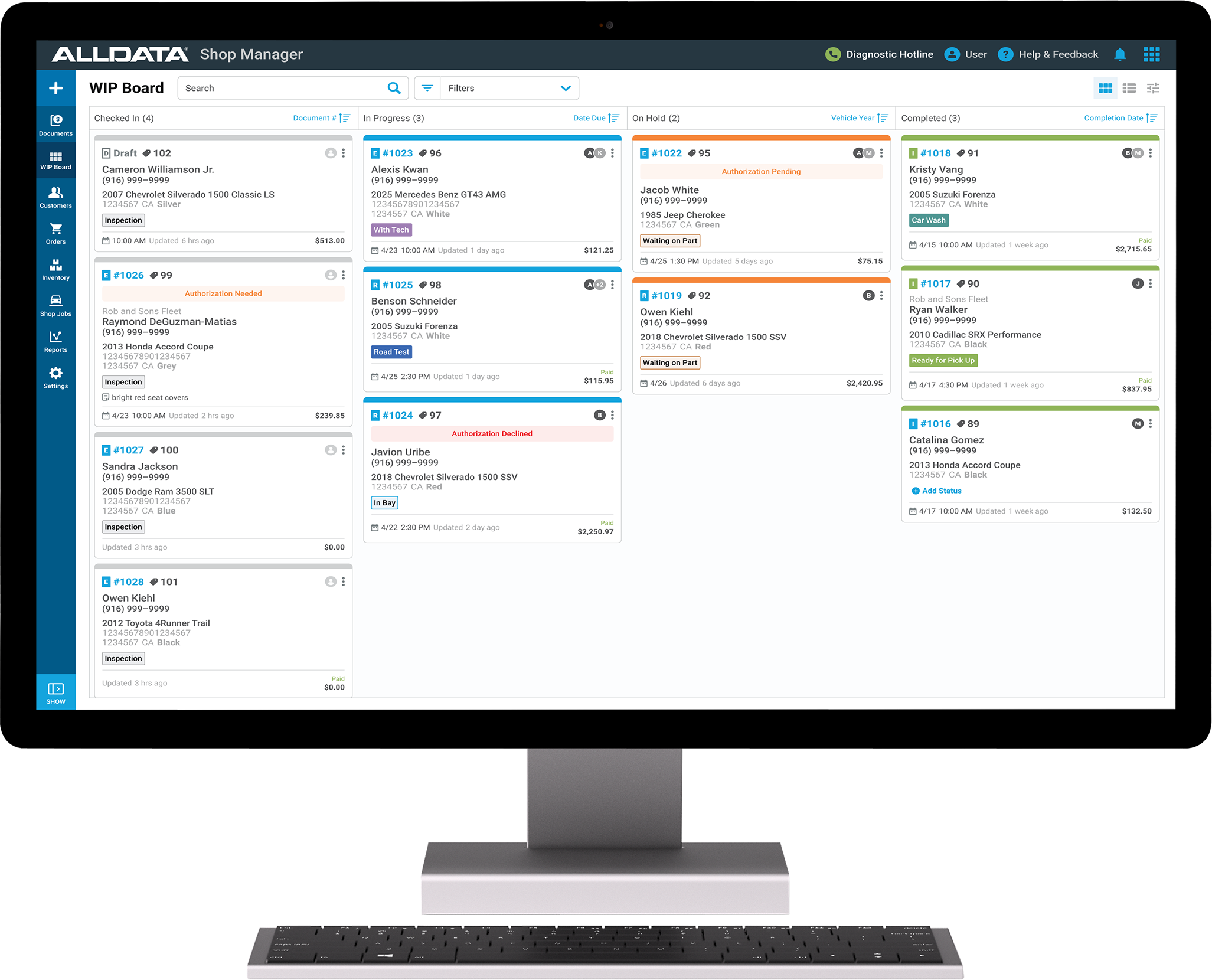
ALLDATA Shop Manager Pro

New ALLDATA Shop Manager Pro, for instance, helps streamline operations by providing:

  • Quick creation of estimates, repair orders, and invoices
  • 24/7 parts ordering from AutoZone and Nexpart Multi-Seller
  • Seamless integration with ALLDATA Repair and ALLDATA Collision
  • Parts Inventory Management
  • Customizable parts markup matrix
  • Trusted Advisories (open recalls and vehicle service history)
  • Sales, tax, payment, profit and parts reports
  • Customer and vehicle records management
  • Work-in-progress dashboard
  • Storage of customer and vehicle data
  • Technician time and cost tracking
  • Profit analysis reports
  • 2-way texting with customers
  • Photo and video attachment

Step 5: Consider Inspections Tools

Description

In addition to OEM repair, collision, and shop management software products, you may want to consider a digital inspections product—an indispensable tool for providing a superior customer experience.

The best mobile-friendly inspections tools allow technicians to start the check-in process on their smartphones or tablets with vehicle and customer information at their fingertips as they check off a digital inspection sheet.

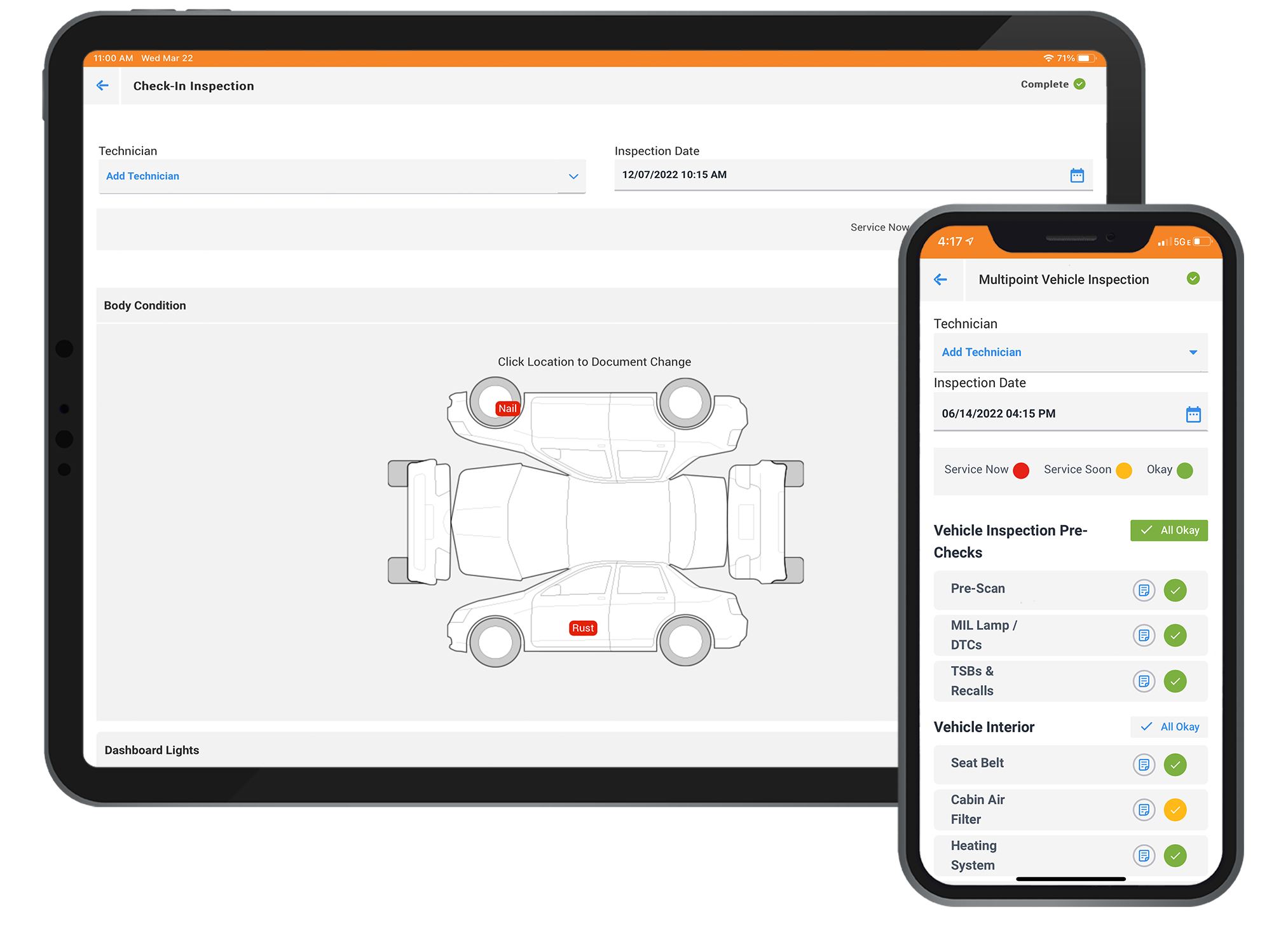
ALLDATA Inspections on phone and tablet

ALLDATA Inspections, for example, provides a comprehensive multi-point digital vehicle inspections (DVI) tool that lets the tech jumpstart the check-in process from their mobile devices and easily look up or add a new customer, quickly check off a digital inspection sheet, and email it for approval within minutes.

Step 6: Connect Your Workflow with Digital Tools

Description

Don’t forget to evaluate your complete digital setup and ensure the automotive repair software comes equipped with:
•    An app that provides mobile-ready access to comprehensive OEM parts and labor information
•    Digital vehicle inspection sheets to start the check-in process right at the vehicle with a tablet or smartphone
•    The mobility to not only perform select tasks at the vehicle but also share new customer vehicle info and inspections with your service team
 

Step 7: Evaluate Support

Description

How responsive and knowledgeable are the customer support teams during setup? Do they continue the support conversation after signup? In addition to product support and training and account management, ALLDATA offers subscribers several ways to obtain ongoing support, including:
•    Tech-Assist: A diagnostic hotline staffed by 30+ ASE-Certified Master Techs.
•    Library Support: A service providing research with answers typically within 30 minutes or less during business hours.
•    Community: A database of reliable, verified-fix information searchable from the ALLDATA Community homepage. Community provides quick answers to hard-to-diagnose problems from over 300,000 ALLDATA techs as well as ALLDATA's Diagnostic Team. 


KEY FEATURES TO LOOK FOR IN AN AUTOMOTIVE SOFTWARE PROGRAM

There are many factors to consider when shopping automotive software programs. However, there are several key features to remember when comparing these car repair software products. Here are the top takeaways:

  • OEM accuracy
  • Ease of use
  • Mobile capability
  • Latest updates
  • Integration options
  • Support and training
  • Future readiness 

Lastly, it's always a good idea to test-drive an OEM repair software system before you commit. Look for these try-before-you-buy and support options:

Research Free Trials or Demos: Check if the software provider offers a free trial. For instance, ALLDATA offers a 7-day free trial for ALLDATA Repair and ALLDATA Collision.

Collect Feedback: Let your lead techs try the system and collect their feedback. You’ll also want to research customer testimonial videos to see what your peers in the automotive industry have to say about the different vehicle repair software products available.

Want to take ALLDATA for a test-drive?

ALLDATA offers a 7-day free trial
 

Test-drive ALLDATA Repair


Test-drive ALLDATA Collision

The best automotive repair apps feature Original Equipment Manufacturer (OEM) repair data – that is, factory-direct information detailing OEM parts and labor. 

Why is OEM repair data important? Using OEM data helps technicians identify the correct procedures, locate the right parts, and diagnose issues accurately the first time. OEM data can include repair procedures, wiring diagrams, labor times, Technical Service Bulletins (TSBs), Diagnostic Trouble Codes (DTCs) and more. Following OEM procedures helps ensure that repairs are performed correctly and minimizes the risk of safety hazards. 

When technicians can quickly access the information they need, they can complete repairs with faster turnaround times, which helps improve customer satisfaction. 

Many insurance companies and dealerships prefer working with shops that use OEM data and have OEM certifications, knowing that OEM data helps ensure a higher quality of repair.

OEM, or Original Equipment Manufacturer, repair data refers to the technical information provided by the vehicle manufacturer, including how to properly diagnose, service, and repair their vehicles. This information includes detailed procedures, specifications, technical service bulletins (TSBs), and recall information. OEM data is particularly critical for technicians to perform accurate and safe repairs. In addition to simple repair instructions, OEM information covers component locations; specifications, such as for fluid types and capacities; step-by-step service and repair procedures; wiring diagrams; TSBs and recalls; and more. ALLDATA Repair offers comprehensive data for over 44,000 engine-specific models, or 95% of all vehicles on the road today.

OEM, or Original Equipment Manufacturer, repair data helps ensure safe, accurate, and reliable vehicle repairs. Technicians who follow OEM procedures gain peace of mind knowing that their repairs are performed according to manufacturer specifications, which can impact safety, vehicle longevity, and warranty coverage. Accessing OEM repair information also helps with accurate parts ordering, proper repair procedures, and documentation, leading to better customer service outcomes and repeat business. 

The best mobile apps provide mobile-ready access to comprehensive OEM parts and labor data, digital vehicle inspections, and shop management features. This empowers technicians to perform accurate diagnostics, access repair procedures, manage workflow, and order parts efficiently to help ensure faster, more reliable repairs and increased customer satisfaction. ALLDATA Mobile, for instance, allows technicians to access unedited OEM repair information on their tablets or smartphones at the vehicle, perform digital vehicle inspections with ALLDATA Inspections, and tap into probable causes sourced across ALLDATA Community. 

The best car repair apps feature Original Equipment Manufacturer (OEM) repair data – that is, factory-direct information detailing OEM parts and labor. Look for OEM accuracy to help prevent misdiagnosis and liability from non-factory specs and to help keep your shop compliant. You’ll also want to look for ease of use, mobile features, software that delivers the latest updates, integration options, robust support and training, and future readiness.

Yes, a collision shop absolutely needs access to OEM mechanical data to ensure repairs are performed safely and accurately. Today’s vehicles are equipped with sophisticated electronics, advanced driver assistance systems (ADAS), and complex integrated systems, requiring sound OEM (Original Equipment Manufacturer) mechanical data recommended by the vehicle manufacturer to ensure proper repairs and calibrations and to reduce comebacks.

To open and run a two-bay automotive garage, you’ll need essential repair data that grants access to unedited, factory-direct repair information, otherwise known as OEM (Original Equipment Manufacturer) data. Look for a platform like ALLDATA, which focuses on mechanical data and offers OEM repair procedures, interactive wiring diagrams, DTCs, TSBs, diagnostics information, and shop management software that helps streamline scheduling, inventory tracking, technician reporting, estimating and invoicing. 

To reduce liability in your collision shop, it’s critical to choose software that helps ensure safe repairs, accurate documentation, and regulation compliance. Look for up-to-date OEM repair data and easily accessible manufacturer position statements to help ensure vehicles are repaired according to manufacturer standards and comprehensive repair planning tools to help reduce missed steps or incorrect procedures.

ALLDATA Repair Planner, for instance, offers a timesaving tool that works with the industry’s three major estimating systems (CCC, Mitchell, and Audatex) and integrates seamlessly with ALLDATA Collision to ensure safe, factory-accurate repairs. ALLDATA Repair Planner provides OEM alerts, line-by-line red alerts to ensure technicians are repairing vehicles to factory specifications; OEM procedures, graphic icons that point to relevant OEM content in ALLDATA Collision, such as TSBs, DTCs, service precautions, diagrams, paint codes and more; and vital repairs, detailed OEM-specified, post-collision inspections and repairs, including high-voltage system disable/enable procedures.